WalletPasses | Passbook Wallet
Wallet Passes AllianceTravel & Local
4.53.04K Reviews
- Version
- 2.7.1
- Installs
- 10.00M
- Age Rating
- Everyone
Screenshots
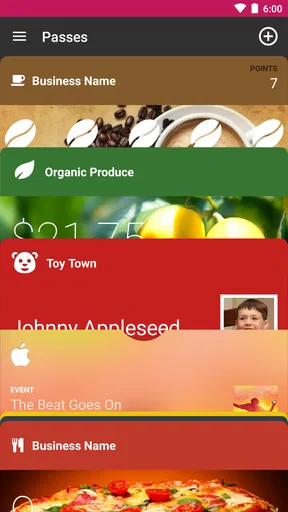
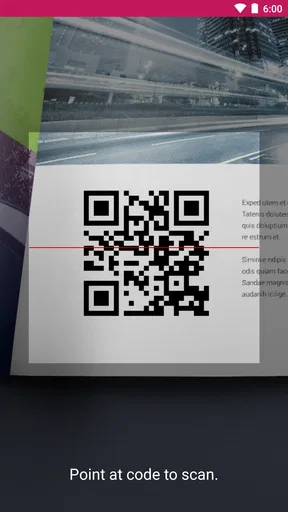
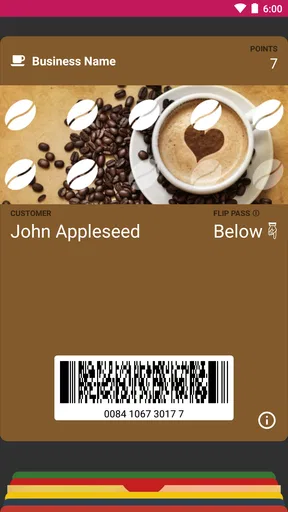
Our Review of WalletPasses | Passbook Wallet
 Analysis by Appyee
I find a digital wallet most useful when it solves a specific bit of daily friction: searching through email for a ticket, juggling loyalty cards at checkout, or trying to keep travel documents together. WalletPasses | Passbook Wallet is built for that job. It is a free Travel & Local app from Wallet Passes Alliance, and its focus is keeping supported passes in one place rather than replacing every payment or travel service on your phone.
That distinction matters when deciding whether it suits you. A pass organizer is valuable if you regularly receive compatible digital tickets, cards, or coupons and want to retrieve them quickly. It is less compelling if nearly all your passes already live in services you use comfortably, or if you expect a wallet app to manage payments, bookings, and accounts as well as passes. I would judge it by how many useful items you can gather in it, and how reliably you can find the right one when you are in a hurry.
Getting Started with WalletPasses
When I first downloaded WalletPasses | Passbook Wallet, I was pleasantly surprised by its clean and intuitive interface. The app is straightforward, making it super easy for anyone to jump right in without needing a tech guru to guide them.
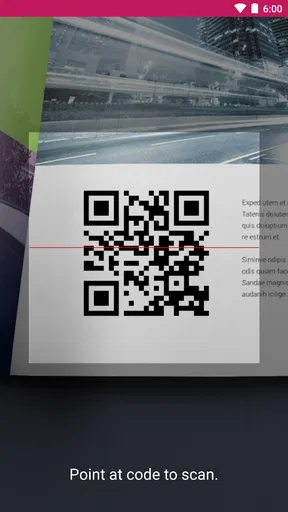
Setting it up is a breeze. Once you open the app, you can start adding your passes by simply scanning barcodes or QR codes. It supports a variety of file formats, which means you can import passes from emails or other apps. This is a fantastic feature that saves you the hassle of manually entering those pesky numbers.
In practice, I would start with the items I need most often rather than trying to move every old ticket or card at once. Add a current travel pass, a regularly used loyalty card, and any coupon with an upcoming deadline, then see whether the app fits your routine. That small trial helps answer a practical question: does gathering these items save time, or do you still have to switch between several original apps to find what you need?
Features That Make Life Easier
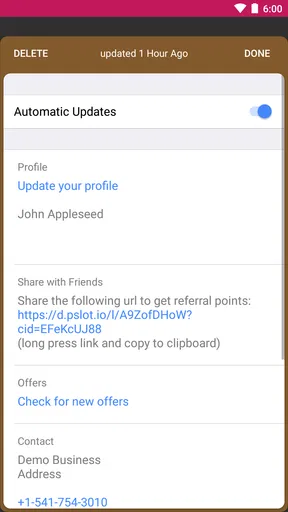
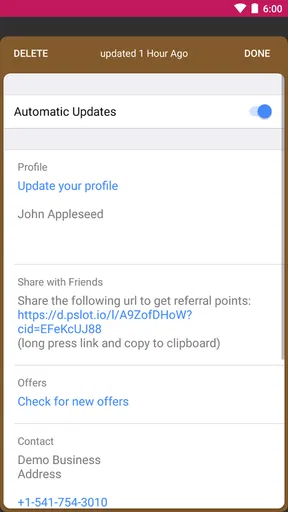
One of the standout features of WalletPasses is its ability to automatically update. If your flight gets delayed or your concert time changes, the app will seamlessly update your pass with the new information. No more last-minute scrambles to check emails or log into accounts.
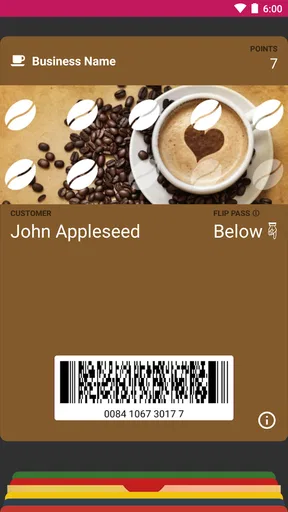
Moreover, the app supports geo-location notifications. This means that when you’re near a location relevant to one of your stored passes, WalletPasses will give you a little nudge. Imagine walking into your favorite coffee shop and getting a reminder of your loyalty card—perfect, right?
A useful way to think about these conveniences is as a prompt, not a guarantee that you can stop checking the original source. Before leaving for a flight or an event, I would still open the pass and confirm that the details look current. Automatic updates can reduce repeat checking, while a quick pre-departure check is a sensible habit whenever timing or entry details matter.
The location reminder is most useful when it connects a pass to a place you visit and you might otherwise forget it. It is less helpful for a one-off venue you will never return to, or if you prefer not to receive location-based prompts. I would keep the feature for passes where a timely reminder has a clear payoff, rather than treating every stored item as something that needs to notify me.
Simplified Organization
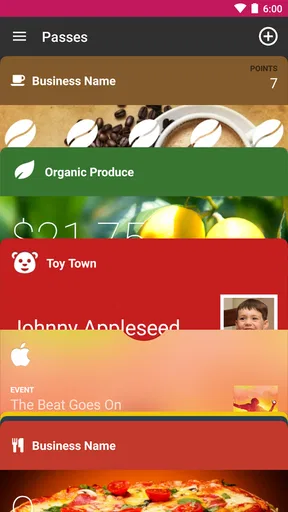
Keeping all your passes organized can be a headache, but WalletPasses handles it like a pro. You can categorize your passes and even archive those that you no longer need, ensuring your digital wallet stays tidy and efficient.
The search function is also a lifesaver. You can quickly find any pass by searching with relevant keywords. This is particularly useful when you're in a hurry and need to pull up your boarding pass amidst a sea of other cards.
My practical tip is to use consistent, recognizable terms when naming or searching for items, where the pass details allow it. A venue name, airline, or store is often more useful in a rushed moment than a vague label such as “ticket.” Archiving completed trips and expired promotions also helps keep current passes easy to spot without deleting items the user may still want to retain.
For a realistic travel day, I would add the boarding pass before heading out, archive an old trip, and search for the current airline or destination while approaching the airport. At a shop later in the week, the same habit applies to a loyalty card: look it up before reaching the counter instead of scrolling through a crowded wallet. These small workflows are where a pass-focused app can earn its place.
Security and Peace of Mind
With everything moving towards digital, security is a big concern. WalletPasses takes this seriously and offers password protection to keep your information safe. You can also back up your data, ensuring that even if you switch phones, your passes are easily retrievable.
What’s more, the app doesn’t just store your passes but also keeps them secure. You can breathe easy knowing your sensitive information is in good hands.
Password protection and a backup option are useful safeguards, but they do not remove the need to think carefully about what you store or how you prepare for a phone change. Before switching devices, I would make a backup and check that I can access it, rather than assuming every pass will reappear automatically. For a time-sensitive journey, keeping the original confirmation available until the pass is safely accessible is a modest precaution.
There is also a trade-off in putting many useful items in one place: retrieval becomes simpler, but the phone becomes more important at the moment you need a pass. I would keep an alternative way to reach essential travel details, such as the original booking confirmation, until I am confident the pass is available when needed. That is not a reason to avoid digital storage; it is a sensible backup for anything that could disrupt a trip if inaccessible.
User Experience and Support
Navigation through WalletPasses is as smooth as butter. The app is responsive and doesn’t lag, even when loaded with a myriad of passes. The developers have done a commendable job in ensuring the app remains light on resources, so it doesn’t drain your battery or bog down your phone.
In terms of support, the app offers a comprehensive FAQ section that answers most queries you might have. If you run into any trouble, the support team is responsive and eager to help, which is always a big plus in my book.
WalletPasses has a 4.5 average from around 172,000 ratings, with about 3,000 written reviews, and it has passed 10 million installs. Those figures suggest that this style of pass management has broad appeal, but the right test for me is still whether the passes I personally use can be added and found without extra hassle. The app is free to download, rated for Everyone, and its current version is 2.7.1; it supports Android 5.0 and later.
There are in-app purchases, with items ranging from $0.99 to $99.99. I would check what an optional purchase covers before paying, and treat the free version as the starting point for deciding whether the basic workflow suits me. If you only need a handful of passes, it makes sense to try the app in that role before spending money or moving your whole routine into it.
Choosing It Over Other Wallet Options
Compared with keeping screenshots in a photo gallery, a dedicated pass organizer gives you a more purposeful place to collect and search for passes. Screenshots can be a quick fallback, but they may sit between unrelated photos and can be harder to distinguish when you are in a hurry. WalletPasses is the better fit when you have supported pass files or codes that you want to organize; a screenshot remains useful when a document cannot be brought into the app in a convenient form.
Compared with opening each airline, venue, or retailer app separately, gathering compatible passes can shorten the route to the item you need. The trade-off is that the original service may still be where you manage a booking or account, so I would not expect a pass wallet to replace those apps. For someone who mainly needs to change reservations, manage purchases, or review an account, the service’s own app is likely the more appropriate tool.
People already comfortable with a built-in phone wallet may also prefer to keep using it, especially if it already handles the passes they rely on. WalletPasses makes more sense when you want a separate home for compatible passes or find your current arrangement scattered. The decision is not about which wallet is universally better; it is about whether this app supports the items and habits that make up your own routine.
Who Should Make the Switch
I would recommend giving it a try if you travel, attend events, or use store loyalty cards often enough that searching email and separate apps has become annoying. It may also suit someone who likes to keep travel and shopping passes together and wants search, archiving, and location prompts to help manage them. Since it is free to install, testing it with a few current passes is a low-commitment way to see whether it earns a permanent spot on your phone.
I would skip it if you rarely use digital passes, prefer to keep every ticket in the original service, or need a complete payment wallet rather than a place to organize passes. It may also be the wrong choice if you do not want another app to maintain or if your essential passes are not available in formats you can add. In those cases, your existing provider apps, a built-in wallet, or even a carefully organized email folder may be simpler.
Moving everything over does not need to be an all-at-once project. I would begin with active passes, check each one after importing it, and leave expired or uncertain items in their original source until I know they are no longer needed. That approach makes switching reversible and helps reveal compatibility problems before the app becomes the only place I look.
Final Thoughts
Overall, WalletPasses is a game-changer for anyone looking to declutter their digital life. It’s efficient, user-friendly, and packed with features that make managing your passes as easy as pie. Whether you’re a frequent traveler, a shopping enthusiast, or just someone who likes to keep things organized, this app is definitely worth checking out.
Ready to make your life a little easier? You can find the download links for both Android and iOS on our website. Give it a try and see how much it simplifies your day-to-day routine. Trust me, you won’t look back!
Verdict
Strengths of WalletPasses | Passbook Wallet
- Easy organization of passes and tickets.
- Supports various file formats seamlessly.
- User-friendly interface for quick access.
- Secure storage with encryption features.
- Customizable notifications and alerts.
Limitations of WalletPasses | Passbook Wallet
- Limited support for loyalty program integration.
- Occasional syncing delays with updates.
- Requires manual input for some data.
- Ads can be intrusive in free version.
- No cloud backup for free users.
Other Releases by Wallet Passes Alliance
View All
House Design Plan 3D App
House & Home4.0

Funky Smiles Live Wallpaper
Personalization4.7

Mirror Link
Libraries & Demo3.2

Flymat: Live Flight Tracker
Travel & Local4.3
Similar Picks in This Category
View All
Google Maps
Google LLC3.4

Google Maps Go
Google LLC4.1

Booking.com: Hotels & Travel
Booking.com Hotels & Vacation Rentals4.8

Google Earth
Google LLC3.8

Skyscanner Flights Hotels Cars
Skyscanner Ltd4.8

trivago: Compare hotel prices
trivago N.V.4.4
Frequently Asked Questions
What is WalletPasses and how does it work?
WalletPasses is a digital wallet app for storing and managing your digital passes, such as tickets, coupons, and loyalty cards, on your smartphone. It supports the Passbook format, making it easy to organize, view, and use your passes without needing physical copies. The app automatically updates your passes with real-time information, such as changes to event details or expiration dates.
Is WalletPasses compatible with both Android and iOS devices?
WalletPasses is specifically designed for Android devices. It allows users to manage their digital passes similarly to Apple's Wallet app on iOS. Although it caters to Android users, it supports the Passbook file format, ensuring compatibility with standard digital passes and making it a reliable choice for managing them effectively.
How secure is my information in WalletPasses?
WalletPasses employs robust security measures to protect your personal information and digital passes. The app does not store sensitive data on external servers, which helps minimize security risks. It is crucial, however, to ensure your device is secure by using a strong password or biometric authentication to prevent unauthorized access.
Can I use WalletPasses without an internet connection?
Yes, WalletPasses allows you to access your stored passes offline. However, some features, such as real-time updates and notifications, require an internet connection. To ensure you have the most current information about your passes, it's advisable to connect your device to the internet periodically.
How do I add passes to WalletPasses?
Adding passes to WalletPasses is simple. You can scan a QR code, download passes from your email, or import them directly from a file. The app will automatically recognize and organize the passes. This flexibility makes it easy to keep all your digital passes in one place, ready for when you need them.
